

Security and administration
This page covers the security settings of your own account and the tools administrators use to manage members, roles and usage. It also explains how Akollo limits support access, outbound connections and access between organisations.
Your account
Account → Security holds your sign-in settings:
- e-mail and password;
- two-step verification with an authenticator app, with backup codes;
- passkeys, where enabled;
- trusted devices, which you can remove;
- connected accounts, which you can unlink.
Preferences sets the light or dark theme where it is offered. Appearance sets a background for the app; it is stored in the current browser only.
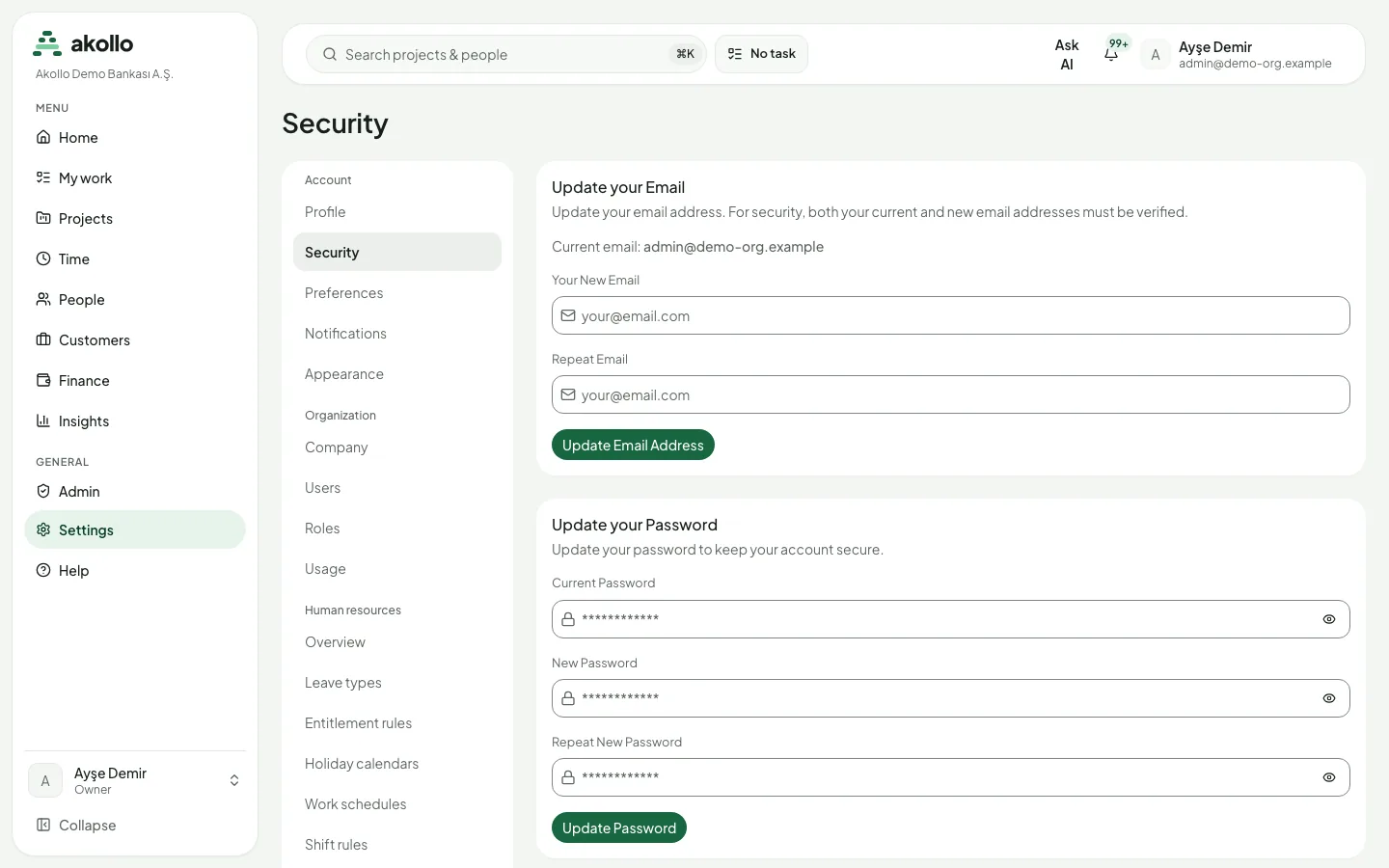
To change your password:
Open the security settings
Go to Account → Security.
Enter your current and new password
Under Update your Password, fill in Current Password, New Password and Repeat New Password.
Save
Select Update Password.
Note
Members and roles
Admin → Users lists the organisation’s members, with their role and joining date, and the pending invitations. Administrators invite people and cancel invitations there. Admin → Roles lists the roles; changing them needs the role-management permission. Permission sets and field policies are described in Organisation and access.
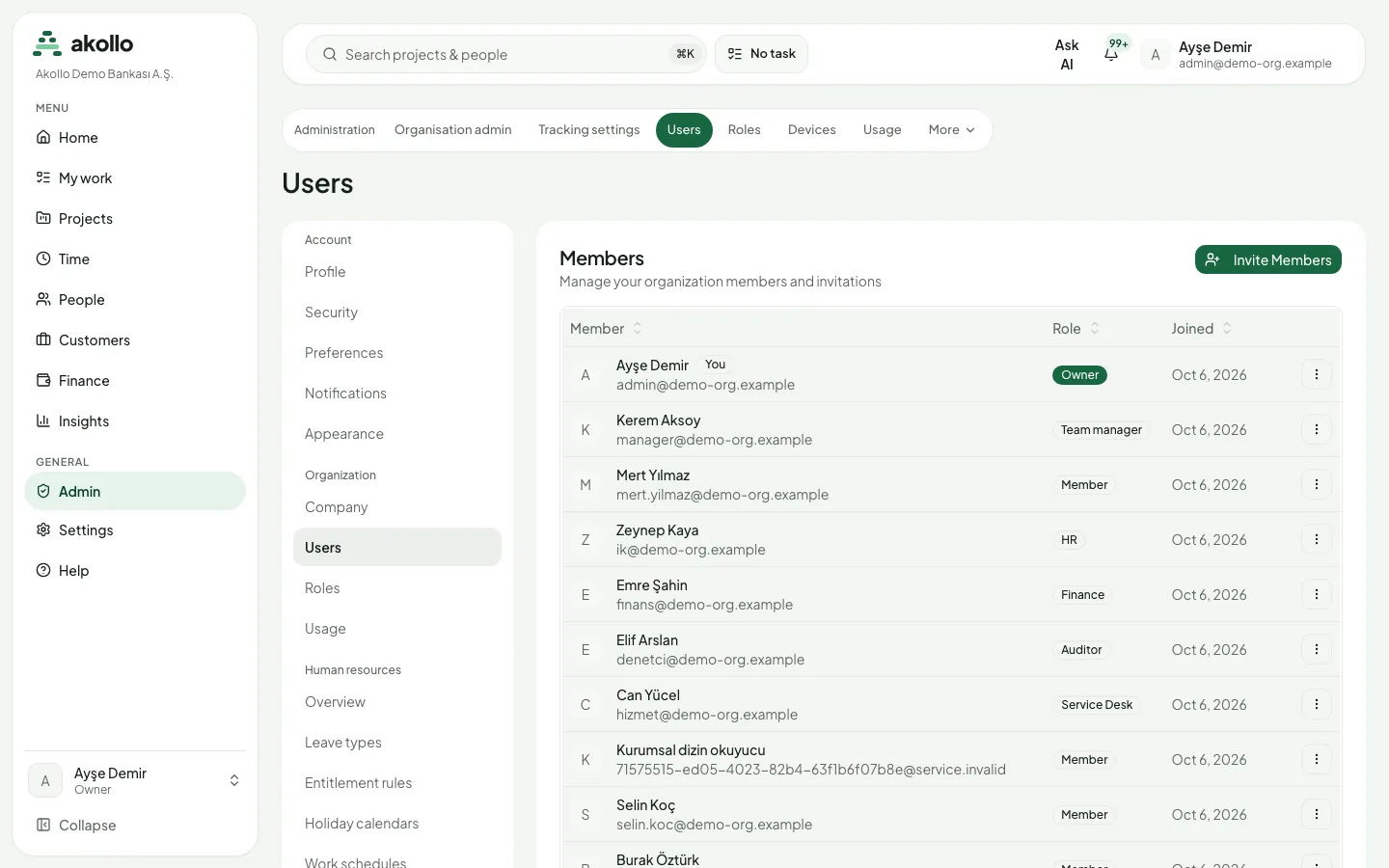
To invite a member:
Open the user list
Go to Admin → Users.
Start the invitation
Select Invite Members and enter the people you want to invite.
Send the invitations
Select Send Invites. The invitation appears in the list as pending until it is accepted or cancelled.
Usage
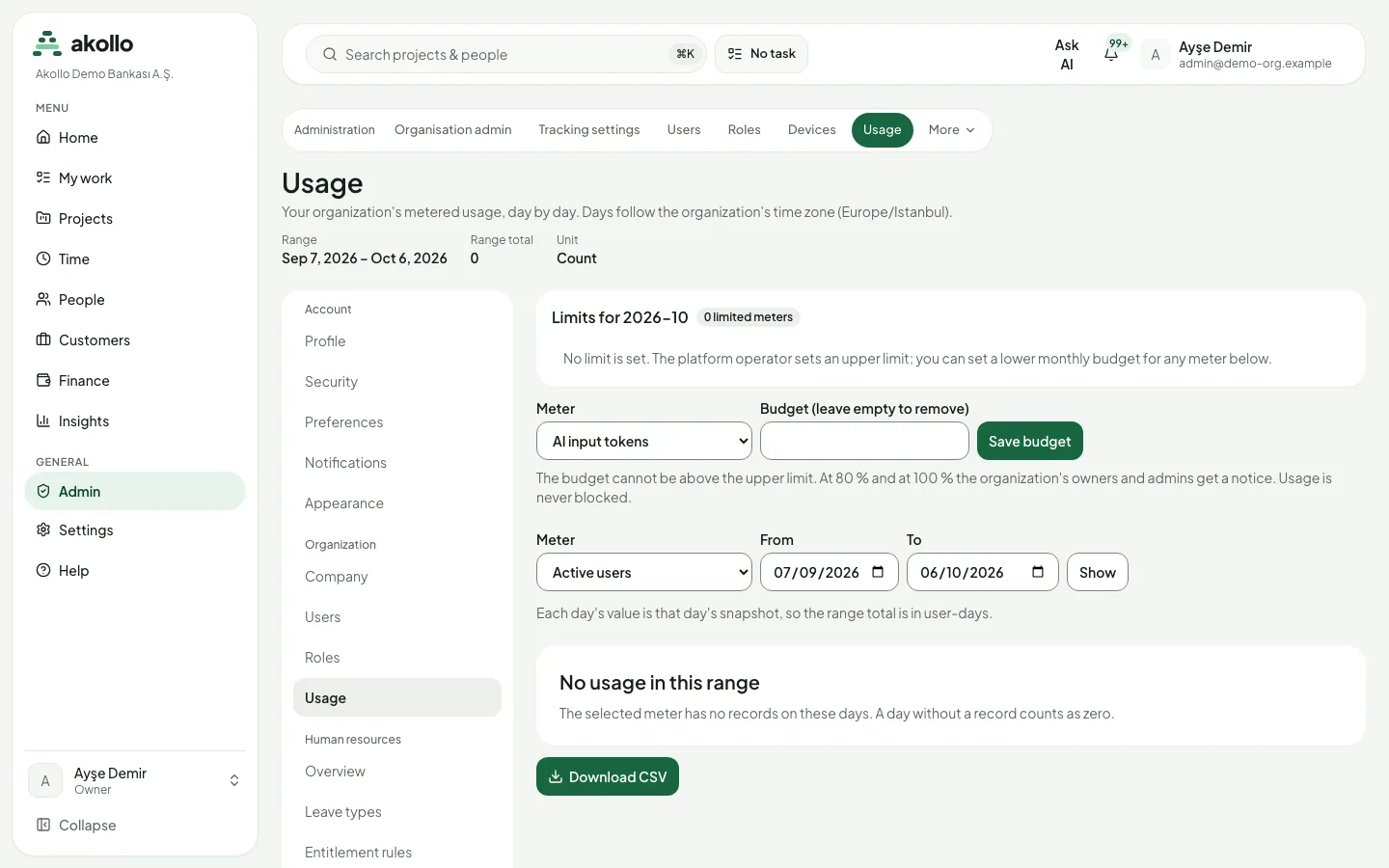
Admin → Usage shows your organisation’s usage per meter, day by day. Days follow the organisation’s time zone. The meters include:
- AI input tokens and AI output tokens;
- AI calls and API calls;
- webhook deliveries;
- storage;
- exported rows;
- automation runs;
- active users (each day’s value is that day’s snapshot, so a range total is read in user-days).
People with the export permission can download a meter’s usage as CSV with Download CSV.
The platform operator sets an upper limit per meter. Your organisation can set a lower monthly budget for any meter; it cannot be above the upper limit. At 80 % and at 100 % of the budget, the organisation’s owners and admins get a notice. Usage is never blocked.
Support sessions
When Akollo support opens a session in your organisation, a Support session banner is shown. A support session can read the pages it is allowed to see. It cannot create, change, approve or delete anything, and sensitive fields stay hidden.
Audit records
Changes to privileges and configuration are written to the audit log. Administrators read it under Admin → Audit records.
Outbound connections
Connectors such as directory sync reach only the external hosts that your installation’s administrators have allowed. Each connector’s own settings in your organisation narrow this list further. When no allowed list has been set up, connectors cannot reach any external host.
Tenant isolation
Every page, list, export and API response contains only the data of the organisation you are working in. A record from another organisation is reported the same way as a record that does not exist.
FAQ
No. A support session can only read the pages it is allowed to see. It cannot create, change, approve or delete anything, and sensitive fields stay hidden. A Support session banner shows when one is open.
No. Owners and admins get a notice at 80 % and at 100 % of the budget, but usage is never blocked.
Changes to privileges and configuration are written to the audit log. Administrators read it under Admin → Audit records.
The background you set under Appearance is stored in the current browser only.
No. Every page, list, export and API response contains only the data of the organisation you are working in.
Jira coexistence and transition
Define how Akollo works alongside Jira, or move selected work-management activities from Jira to Akollo with a reviewed transfer.
Institutional security and control
Planned: installation, data leaving the institution, retention, deletion checks, SIEM forwarding, incidents, findings and control mapping.